
Recently one of our customers noticed that one of their instances was failing to boot on a c6g.xlarge. We asked for some sample code as we were not able to confirm what they were seeing. (note: Sample reproducible code is always super helpful in this case). After some back and forth we realized they were having trouble booting on a c6g.8xlarge - not a c6g.xlarge. What's the difference? It's basically the same instance type - it's not like it's a different arch or a different instance class. The difference, amongst other differences like much larger amounts of ram, is that one has 4 vcpu and the other has 32.
If you tried to to boot it on the larger instance you'd see a message somewhat like this:
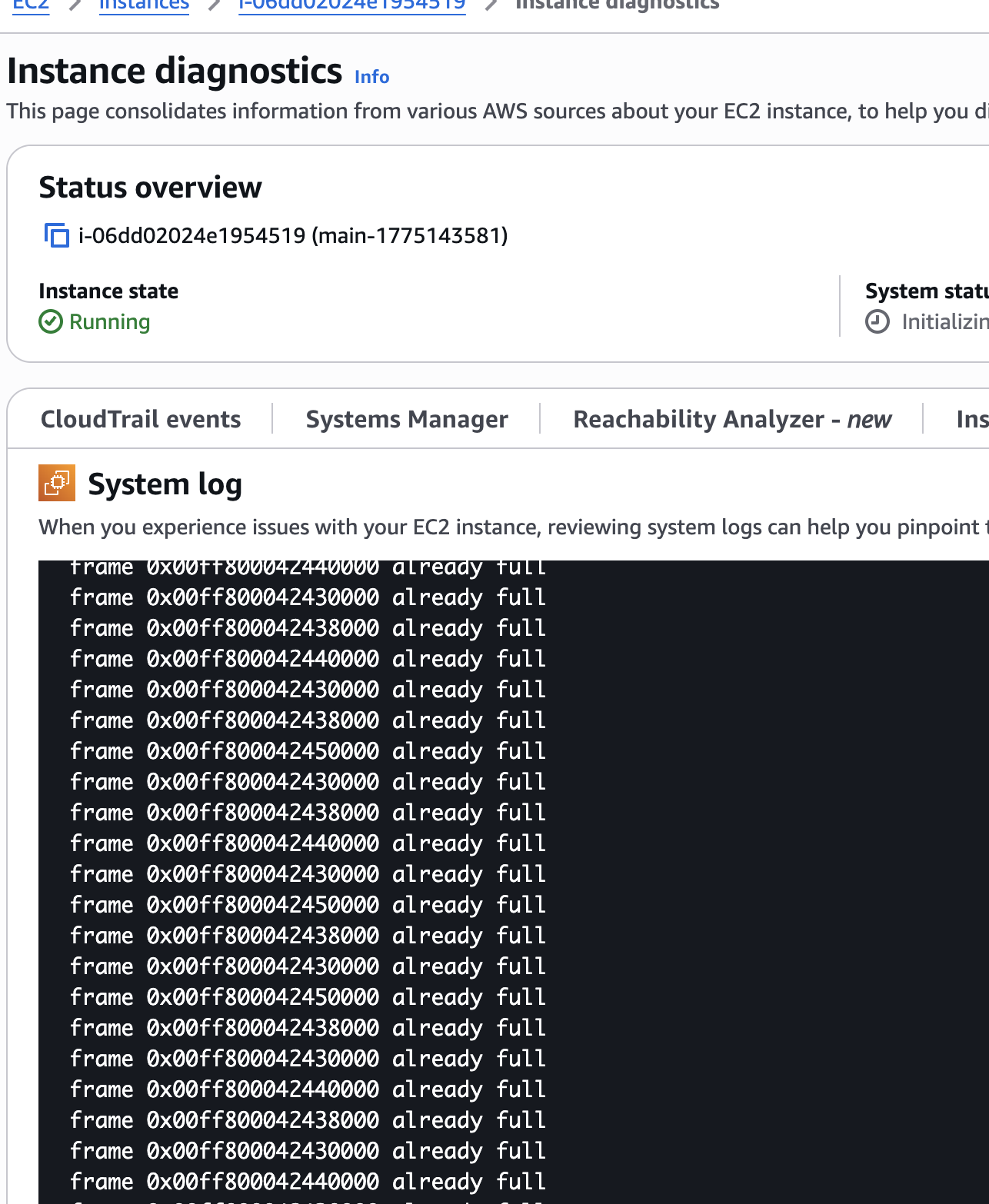
Essentially, because graviton instances rely on ACPI through the Nitro system versus the device tree we were looking in the wrong place for cpu information for over half of the data for the vCPU. This, as we remembered was not the first time we had ran into this. The device tree is common on arm systems but not on these server class ones. You'd find the device tree accessible in /proc/device-tree if you were on perhaps using an embedded arm system or something like a rpi.
Outside of the kernel reading this information you can also get some of this data from acpidump and the sys pseduo filesystem.
While we have to scan for this in the kernel if you'd like to get at this data from the shell there are several tools you can use to do so.
You might be familiar with cpuid which identifies a known processor so that your program knows what features area available to it. You might use something also like dmidecode:
sudo dmidecode -t processor | grep "ID"
You could get similar information from running lscpu.
However, there is a different type of id that is enumerated when booting the system which is the apic processor id. This can be different on different boots. This information is inside the ACPI tables. (note: ACPI is Advanced Configuration and Power Interface, while APIC stands for Advanced Programmable Interrupt Controller) If you want more details you can use a suite of tools such as: acpidump, acpixtract and iasl. For instance to:
Dump the Tables
sudo acpidump -o acpi.out
From there you can
List Summaries
eyberg@venus:~/acpi$ acpixtract -l acpi.out

Intel ACPI Component Architecture
ACPI Binary Table Extraction Utility version 20230628
Copyright (c) 2000 - 2023 Intel Corporation


 Signature  Length    Version Oem       Oem         Oem         Compiler Compiler
                              Id        TableId     RevisionId  Name     Revision
 _________  __________  ____  ________  __________  __________  _______ __________

 01)  SSDT  0x00003316  0x02  "INTEL "  "IgfxSsdt"  0x00003000  "INTL" 0x20200717
 02)  MCFG  0x0000003C  0x01  "ALASKA"  "A M I   "  0x01072009  "AMI " 0x01000013
 03)  APIC  0x000001DC  0x05  "ALASKA"  "A M I   "  0x01072009  "AMI " 0x01000013
 04)  SSDT  0x00005D01  0x02  "CpuRef"  "CpuSsdt "  0x00003000  "INTL" 0x20200717
 05)  TPM2  0x0000004C  0x04  "ALASKA"  "A M I   "  0x00000001  "AMI " 0x00000000
 06)  SSDT  0x00001288  0x02  "INTEL "  "xh_adls3"  0x00000000  "INTL" 0x20200717
 07)  NHLT  0x0000002D  0x00  "ALASKA"  "A M I   "  0x01072009  "AMI " 0x01000013
 08)  UEFI  0x00000048  0x01  "ALASKA"  "A M I   "  0x01072009  "AMI " 0x01000013
 09)  DSDT  0x00074B2C  0x02  "ALASKA"  "A M I   "  0x01072009  "INTL" 0x20200717
 10)  SSDT  0x000059C1  0x02  "ALASKA"  "TbtTypeC"  0x00000000  "INTL" 0x20200717
 11)  WSMT  0x00000028  0x01  "ALASKA"  "A M I   "  0x01072009  "AMI " 0x00010013
 12)  SSDT  0x00000144  0x02  "Intel "  "ADebTabl"  0x00001000  "INTL" 0x20200717
 13)  LPIT  0x000000CC  0x01  "ALASKA"  "A M I   "  0x01072009  "AMI " 0x01000013
 14)  SSDT  0x00001F1A  0x02  "ALASKA"  "Ther_Rvp"  0x00001000  "INTL" 0x20200717
 15)  DBG2  0x00000054  0x00  "ALASKA"  "A M I   "  0x01072009  "AMI " 0x01000013
 16)  SSDT  0x00003AEA  0x02  "SocGpe"  "SocGpe  "  0x00003000  "INTL" 0x20200717
 17)  SSDT  0x00002AA1  0x02  "SaSsdt"  "SaSsdt  "  0x00003000  "INTL" 0x20200717
 18)  DMAR  0x00000088  0x02  "INTEL "  "EDK2    "  0x00000002  "    " 0x01000013
 19)  FACP  0x00000114  0x06  "ALASKA"  "A M I   "  0x01072009  "AMI " 0x01000013
 20)  FPDT  0x00000044  0x01  "ALASKA"  "A M I   "  0x01072009  "AMI " 0x01000013
 21)  PHAT  0x000005CD  0x00  "ALASKA"  "A M I   "  0x00000005  "MSFT" 0x0100000D
 22)  SSDT  0x0000038C  0x02  "PmaxDv"  "Pmax_Dev"  0x00000001  "INTL" 0x20200717
 23)  SSDT  0x00001919  0x02  "ALASKA"  "UsbCTabl"  0x00001000  "INTL" 0x20200717
 24)  DBGP  0x00000034  0x01  "ALASKA"  "A M I   "  0x01072009  "AMI " 0x01000013
 25)  HPET  0x00000038  0x01  "ALASKA"  "A M I   "  0x01072009  "AMI " 0x01000013
 26)  SSDT  0x00002A83  0x02  "ALASKA"  "PtidDevc"  0x00001000  "INTL" 0x20200717
 27)  FIDT  0x0000009C  0x01  "ALASKA"  "A M I   "  0x01072009  "AMI " 0x00010013
 28)  FACS  0x00000040  0x02
 29)  BGRT  0x00000038  0x01  "ALASKA"  "A M I   "  0x01072009  "AMI " 0x00010013
 30)  SSDT  0x00002B2A  0x02  "SocCmn"  "SocCmn  "  0x00003000  "INTL" 0x20200717
 31)  SSDT  0x00001038  0x02  "PmRef "  "ApHwp   "  0x00003000  "INTL" 0x20200717
 32)  SSDT  0x0000044D  0x02  "PmRef "  "Cpu0Hwp "  0x00003000  "INTL" 0x20200717
 33)  SSDT  0x000006EC  0x02  "PmRef "  "Cpu0Ist "  0x00003000  "INTL" 0x20200717
 34)  SSDT  0x00000FBB  0x02  "PmRef "  "ApCst   "  0x00003000  "INTL" 0x20200717
 35)  SSDT  0x00001349  0x02  "PmRef "  "ApPsd   "  0x00003000  "INTL" 0x20200717
 36)  SSDT  0x00001BAF  0x02  "PmRef "  "ApIst   "  0x00003000  "INTL" 0x20200717
 37)  SSDT  0x000001AB  0x02  "PmRef "  "Cpu0Psd "  0x00003000  "INTL" 0x20200717
 38)  SSDT  0x00000394  0x02  "PmRef "  "Cpu0Cst "  0x00003001  "INTL" 0x20200717

Found 38 ACPI tables in acpi.out
This can give you some summary information but we might want to go ahead and extract them first:
Extract the Tables
acpixtract -a acpi.out
You can finally take this and dissassemble it.
Dissassemble The Tables
iasl -d apic.dat
This is the final output where we can see how many processors are available and online:
/*
 * Intel ACPI Component Architecture
 * AML/ASL+ Disassembler version 20230628 (64-bit version)
 * Copyright (c) 2000 - 2023 Intel Corporation
 *
 * Disassembly of apic.dat, Sun Apr 26 18:21:03 2026
 *
 * ACPI Data Table [APIC]
 *
 * Format: [HexOffset DecimalOffset ByteLength]  FieldName : FieldValue
(in hex)
 */

[000h 0000 004h]                   Signature : "APIC"    [Multiple APIC
Description Table (MADT)]
[004h 0004 004h]                Table Length : 000001DC
[008h 0008 001h]                    Revision : 05
[009h 0009 001h]                    Checksum : 96
[00Ah 0010 006h]                      Oem ID : "ALASKA"
[010h 0016 008h]                Oem Table ID : "A M I "
[018h 0024 004h]                Oem Revision : 01072009
[01Ch 0028 004h]             Asl Compiler ID : "AMI "
[020h 0032 004h]       Asl Compiler Revision : 01000013

[024h 0036 004h]          Local Apic Address : FEE00000
[028h 0040 004h]       Flags (decoded below) : 00000001
                         PC-AT Compatibility : 1

[02Ch 0044 001h]               Subtable Type : 00 [Processor Local APIC]
[02Dh 0045 001h]                      Length : 08
[02Eh 0046 001h]                Processor ID : 00
[02Fh 0047 001h]               Local Apic ID : 00
[030h 0048 004h]       Flags (decoded below) : 00000001
                           Processor Enabled : 1
                      Runtime Online Capable : 0

[034h 0052 001h]               Subtable Type : 00 [Processor Local APIC]
[035h 0053 001h]                      Length : 08
[036h 0054 001h]                Processor ID : 01
[037h 0055 001h]               Local Apic ID : 01
[038h 0056 004h]       Flags (decoded below) : 00000001
                           Processor Enabled : 1
This is the userland way of doing this but this is also similar to the process involved when we try and discover what is available when the c6g.8xlarge graviton instance boots. Sometimes data is not where you expect it and you simply have to turn over other rocks.
Stop Deploying 50 Year Old Systems
Introducing the future cloud.
Ready for the future cloud?
Ready for the revolution in operating systems we've all been waiting for?
Schedule a Demo